Streame

Streame

Live streaming control for your organization.

Streame receives your live video once, from your encoder or a camera, and sends it to YouTube, Facebook, Twitch and any other destination at the same time. Turn each destination on and off with a switch, watch everything live in one dashboard, and set the title and description of every live stream from one place.

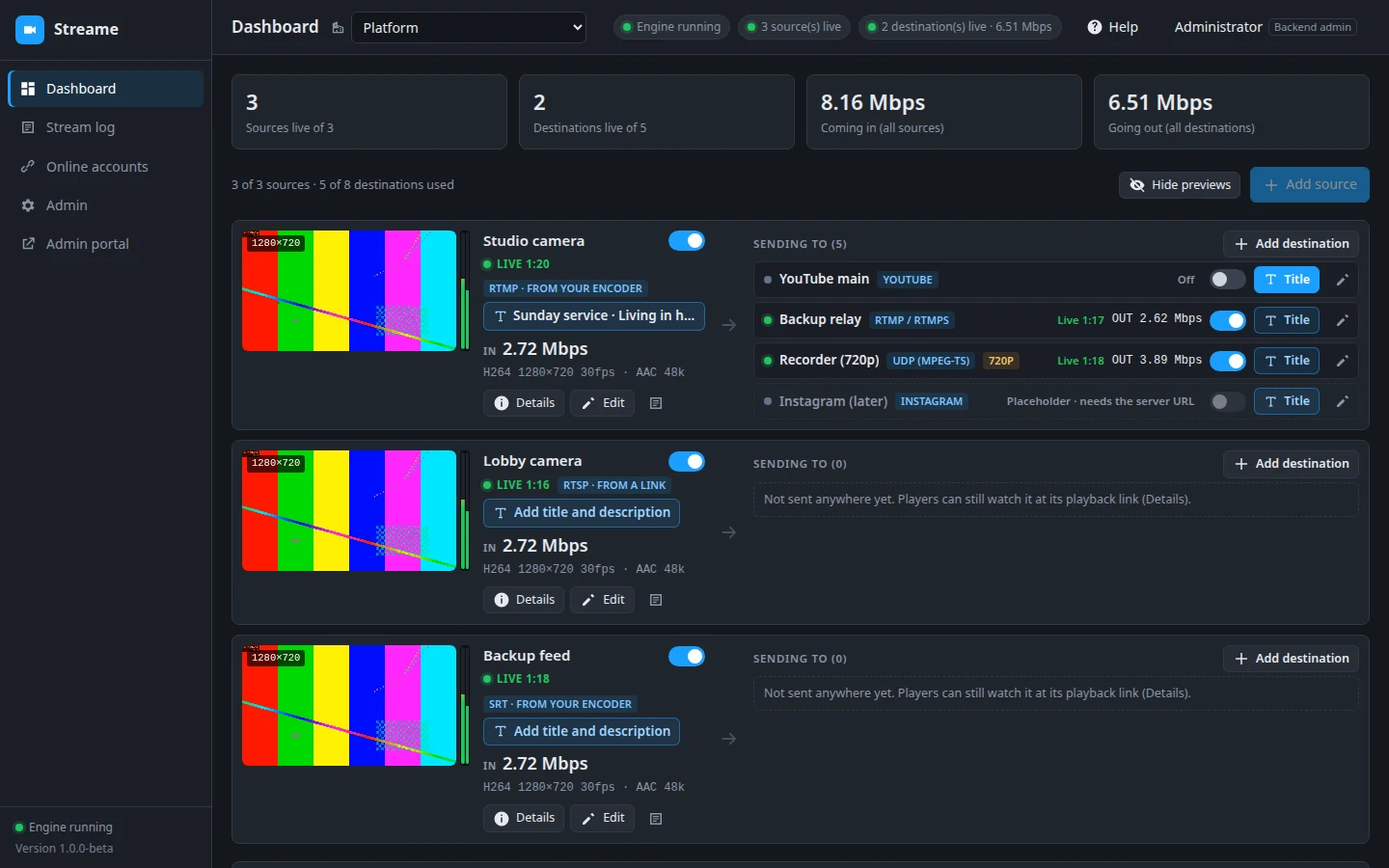
The Streame dashboard: sources with live previews, each sending to several destinations

What Streame does

Made for churches, schools, events and businesses that stream to more than one place, by people who are busy while they do it.

⇉One source, every platform

Send your encoder (OBS, vMix, a hardware encoder or an IP camera) to Streame once; it sends it on to every destination you choose.

TTitles from one place

Write the live title and description once for all destinations, or give each its own, within each platform's limits.

✓Connected accounts

Connect your YouTube, Facebook and Twitch accounts with their own sign-in, and Streame sets the titles on the live video for you.

●Live at a glance

Previews, live and reconnecting states, and bitrates of every source and destination, with a stream log in plain words.

▤A dock inside OBS

Your streams and their switches in a narrow panel inside OBS, so the operator never leaves the encoder.

⚿Organizations and roles

Each organization sees only its own streams; viewers, stream operators and administrators each get what their role allows.

YouTubeFacebookTwitchInstagramTikTokVimeoLinkedIn LiveXRTMPSRTRTSP

See it

The dashboard

Every source with its live preview, and every destination it sends to, each with its own switch.

  • Live, off or reconnecting, at a glance
  • What comes in and what goes out, live
  • Add a destination in a few clicks: the platform's server is filled in
The dashboard

Titles and descriptions

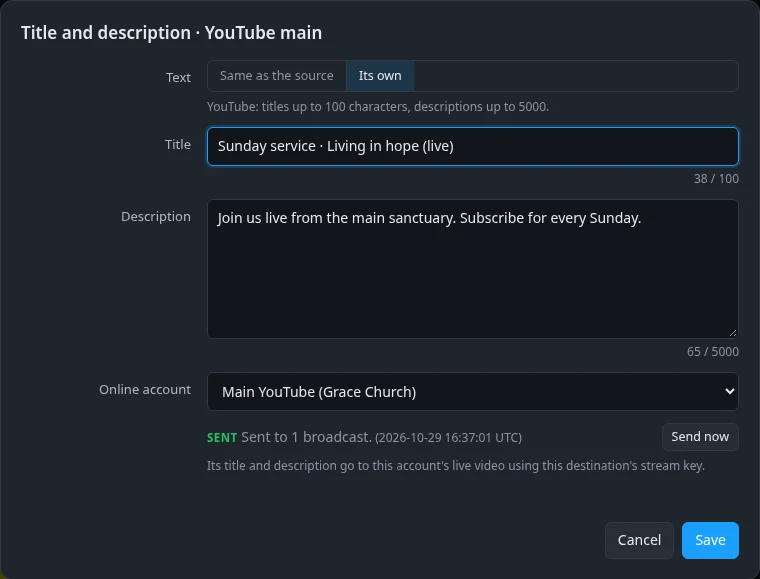
One title for all of a source's destinations, or a destination's own. With a connected account, Streame sets it on the platform's live video, and says when it got there.

A destination's title, description and connected account

Online accounts

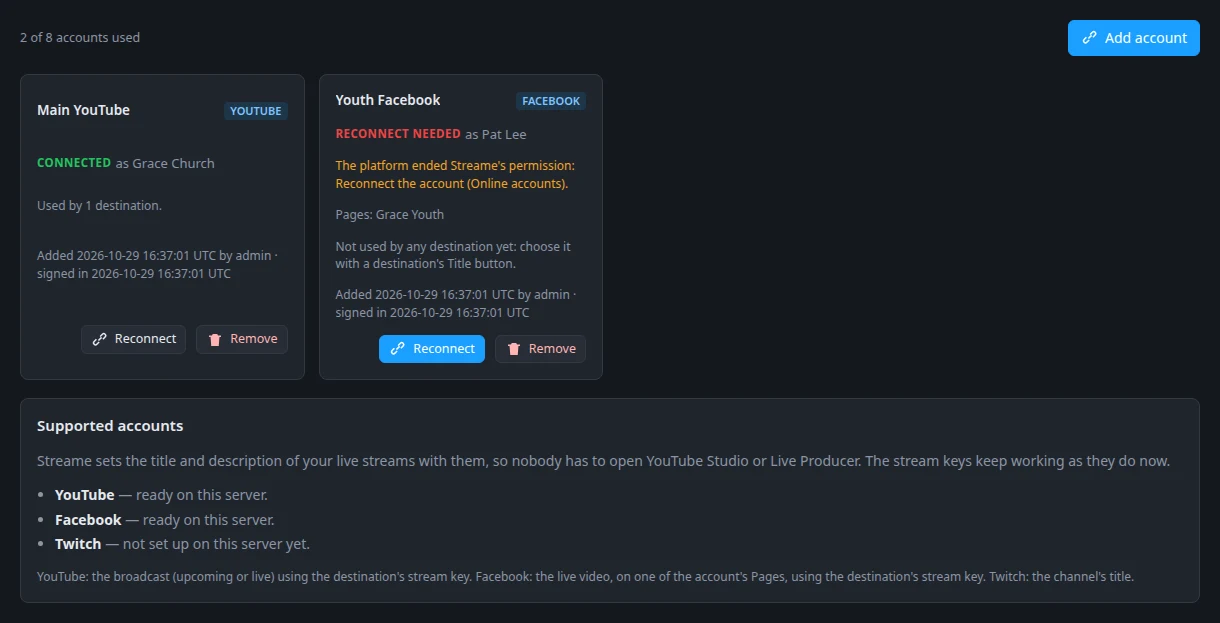
Your organization's YouTube channels, Facebook Pages and Twitch channels, connected with each platform's own sign-in. Remove one at any time and Streame gives the permission back.

Connected online accounts

In OBS, and on any screen

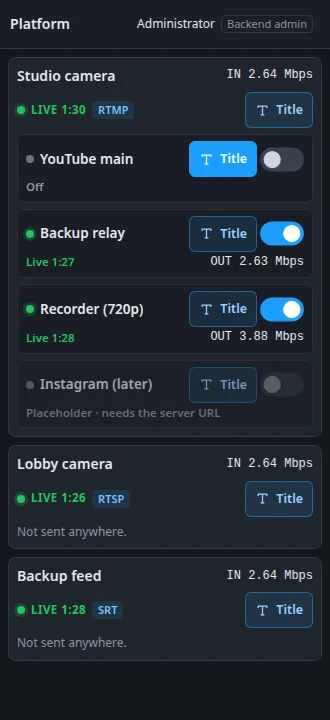
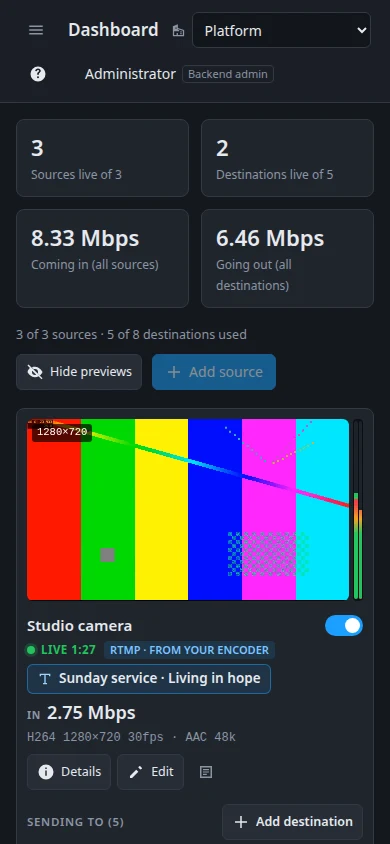
The OBS dock puts your destinations' switches next to your scenes. On a tablet or a phone, the whole dashboard fits the screen.

The OBS dock
The dashboard on a phone

How it works

Accounts are made by your organization's administrator; there is no public sign-up.

Add a source

Streame gives you a server address and stream key: paste them in your encoder.

Add destinations

YouTube, Facebook, Twitch or any address, each with its stream key from the platform.

Connect accounts

Optional: sign in to YouTube, Facebook or Twitch so Streame can set your live titles.

Go live

Start your encoder and switch destinations on. Change titles any time.

Your data and your accounts

When you connect an online account, Streame asks the platform for permission to manage it, and uses that permission only to set the title and description of your live streams:

  • YouTube: Streame reads your channel's name and its upcoming and live broadcasts, only to find the broadcast that uses your stream key, and sets its title and description. It never uploads, deletes or publishes videos.
  • Facebook: the live video on the Pages you choose that uses your stream key.
  • Twitch: your channel's stream title.

Streame's use and transfer of information received from Google APIs adheres to the Google API Services User Data Policy, including the Limited Use requirements. Streame uses YouTube API Services: see the YouTube Terms of Service and the Google Privacy Policy. Your data is never sold or used for advertising. Take the access back at any time in Streame or on the platform.

Read the full Privacy policy and Terms of service.